If you have ever opened a TeraBox link and waited forever for a file to download, you already know how frustrating the free experience can be. TeraBox is widely used for storing and sharing large files, but some users look for TeraBox MOD APK because they want fewer ads, faster downloads, or access to features normally associated with premium plans.
TeraBox is also useful for people who simply need extra cloud storage for their own photos, videos, documents, and other files. So, depending on what brought you here, you may be looking for a way to manage your own storage or trying to get a better experience when downloading a shared file.
TeraBox MOD APK Quick Info
| Detail | Information |
|---|---|
| App Name | TeraBox – Cloud Storage Space |
| Developer | Flextech Inc. |
| Package Name | com.dubox.drive |
| Category | Tools / Cloud Storage |
| MOD Features | Premium Unlocked, No Ads, Faster Downloads, Expanded Storage |
| Size | ~100–250MB (varies significantly by version) |
| Android Requirement | Android 5.0 and up |
| Free Official Storage | 1TB |
| Price | Free |
| Official Play Store | Play Store |
Table of Contents
Why Are You Actually Searching for This? (Two Different Problems)
Scenario 1: Someone sent you a TeraBox link. This is genuinely the more common case. TeraBox is widely used to share large files movies, TV show archives, software, course material and the free/non-logged-in download experience is deliberately slow, often capped at a crawl unless you sign up and, in some cases, unless you pay. If this is you, the “MOD APK” you’re actually after isn’t about your own storage at all — it’s about breaking that download speed cap.
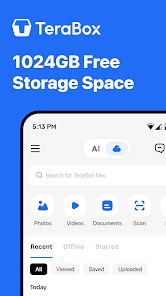
Scenario 2: You want more cloud storage for yourself. TeraBox’s official free tier already gives 1TB, which is generous compared to Google Drive (15GB) or Dropbox (2GB). The mod APK, in this case, is about removing ads, unlocking faster upload/download speeds, and sometimes stretching storage further through unlocked reward tiers.
Both are covered below, but if you’re just trying to grab a file someone shared with you, jump to the “Downloading Shared TeraBox Files Faster” section you likely don’t need to create an account or install anything at all.
What Is TeraBox APK?
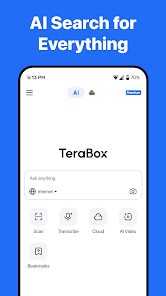
TeraBox APK is a cloud storage app from Flextech Inc., built around one standout feature: a full 1TB of free storage, which is dramatically more than what Google Drive, Dropbox, or OneDrive give away for free. That generosity is exactly why it’s become the go-to platform across South Asia, Southeast Asia, and Latin America for sharing large files — course bundles, movie collections, software, you name it.
The trade-off is the free tier’s download speed. TeraBox intentionally throttles downloads for free and non-logged-in users, which is standard freemium practice, but it’s also the single biggest source of frustration people search for a fix to.
Downloading Shared TeraBox Files Faster (Without an Account)
If someone sent you a TeraBox link and you just want the file, here’s what actually works, roughly in order of effort:
- Try the desktop app or terabox.com in a browser instead of the mobile app — browser downloads are sometimes noticeably faster than the throttled mobile client for non-account downloads.
- Create a free account and log in before clicking the link. Logged-in downloads consistently get a better speed allocation than anonymous ones, even on the free tier.
- Use the MOD APK’s unlocked speed if you’d rather not create an account at all — this is the actual use case behind most “TeraBox MOD APK” searches, and it bypasses the throttle without needing to sign up or pay.
- Try off-peak hours. TeraBox’s servers see heavier load during evening hours in major markets (South/Southeast Asia especially), so downloading early morning or late night can genuinely help.
TeraBox Premium Features
- No Ads – Removes the banner and interstitial ads that show up frequently in the free version.
- Faster Upload & Download Speeds – Bypasses the throttling applied to free-tier accounts.
- Full HD (1080p) Video Streaming – Play stored videos at full quality without the SD-only restriction.
- Expanded Storage Access – Some versions unlock reward-tier storage bonuses (up to 2–3TB) that would normally require completing tasks or paying for Premium.
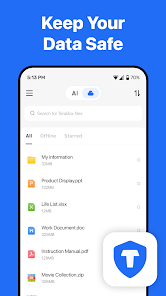
- Personal Vault Access – The password-protected, encrypted folder feature that’s normally gated in some regions.
TeraBox Free vs. Premium vs. MOD APK
| Feature | Free | Premium ($3.99/mo) | MOD APK |
|---|---|---|---|
| Storage | 1TB | 2TB | 1TB base (more via reward unlocks) |
| Ads | Yes | No | No |
| Download/Upload Speed | Throttled | Fast | Unlocked/claims fast |
| Video Quality | SD | Full HD | Full HD (unlocked) |
| Personal Vault | Limited | Full access | Unlocked |
| Official Support | Yes | Yes | None |
| Account Ban Risk | None | None | Present |
Is It Actually Safe? A Straight Answer
Most download pages either oversell safety with “100% safe, guaranteed!” or bury the real risks in legal disclaimers nobody reads. Here’s the direct version:
The real risks are account-related, not usually device-destroying. TeraBox can detect modified clients on their end and suspend or ban the account being used with them. If that happens, you lose access to whatever’s stored in that account — TeraBox doesn’t recover banned-account data. This is the single biggest practical risk, far more likely than your phone getting infected.
Malware risk depends entirely on your download source. A modified APK is, by definition, altered by someone other than Flextech Inc. A poorly-sourced file could bundle unwanted code. This is manageable with basic precautions, not a reason to panic, but it’s not zero risk either.
Practical safety steps:
- Scan the downloaded file with antivirus software before installing.
- Use a secondary TeraBox account for the MOD version — never your main one with important files.
- Never store irreplaceable files (documents you have no backup of, sensitive personal data) in an account accessed through a modded client.
- Confirm the package name matches com.dubox.drive so you know you’re not installing an unrelated app disguised as TeraBox.
How to Install TeraBox MOD APK
- Enable Unknown Sources — go to Settings > Security > Install Unknown Apps and allow your browser or file manager.
- Download TeraBox MOD APK from the link on this page.
- Check the file size — anywhere from 100–250MB depending on the version; a drastically smaller file likely means an incomplete download.
- Install it, and if you already have the official TeraBox app installed, you may need to uninstall it first to avoid a conflict.
- Open the app and log in — using a secondary account is the safer choice, as covered above.
- Test core features — try streaming a video and uploading a small file first, before relying on it for anything important.
Common issues:
- Install fails → confirm Android 5.0+ and re-download if the file seems incomplete.
- Speeds don’t feel faster → your actual internet connection is the ceiling; the mod removes TeraBox’s throttle, not your own bandwidth limit.
- Account flagged or banned → this is the known risk; switch to a fresh secondary account and avoid re-uploading heavily right after installing.
How to Download a File From a TeraBox Link
If someone has sent you a TeraBox link and you only need to download the shared file, you may not need a modified APK at all.
Try these options first:
- Open the shared TeraBox link in your browser.
- If necessary, sign in to your TeraBox account.
- Open the shared file or folder.
- Select the file you want.
- Start the download.
- Keep the browser or app open until the download finishes.
For very large files, a stable Wi-Fi connection can make the process more reliable.
If the download is slow, the problem may be related to the service, your account, server load, or your own internet connection.
Is TeraBox MOD APK Safe?
This is probably the most important thing to consider before installing a modified app.
The official TeraBox application comes from its developer, while a MOD APK has been altered by a third party. Because of that, you cannot assume that every modified copy contains exactly what its download page claims.
A modified APK could potentially contain unwanted code or request permissions that aren’t necessary for a cloud-storage application.
Before installing one, consider these precautions:
- Download only from a source you trust.
- Scan the APK with reputable security software.
- Check the package name before installation.
- Review the permissions requested by the app.
- Avoid modified apps that ask for unnecessary access.
- Keep backups of important files somewhere else.
- Don’t store your only copy of sensitive documents in an account accessed through an unofficial app.
There can also be account or service-access risks when using unofficial modified clients.
For important files, the safest approach is to keep an independent backup rather than relying entirely on a modified application.
TeraBox MOD APK and Account Security
If you use TeraBox for important personal files, account security deserves extra attention.
A modified application is not officially supported by the original developer, so problems with compatibility, updates, or account access may occur.
For that reason, avoid using an unofficial modified client for an account containing files that you cannot afford to lose.
If you only need TeraBox for occasional file sharing or downloads, the official application or website is the safer option.
Common Problems With TeraBox APK
APK Won’t Install
If installation fails, check whether the APK downloaded completely and whether your Android version supports that particular release.
Download Is Still Slow
A MOD APK cannot fix a slow internet connection. Server conditions, account restrictions, network congestion, and your own connection can all affect download speed.
App Crashes
Try using a version that matches your Android device. Older or modified builds may also stop working after changes to the TeraBox service.
Official App Conflicts With MOD
Two versions using the same package can conflict during installation. You may need to remove the existing version before installing another build.
Features Aren’t Working
MOD features aren’t standardized. A feature advertised on one release may not work on another version.
Frequently Asked Questions
Is TeraBox MOD APK free?
Yes, TeraBox MOD APK completely free.
Do I need to create an account just to download a shared file?
No — the TeraBox MOD APK version’s unlocked speed works for downloading shared links without logging in. An account is only needed if you want to store your own files.
Will this work on iPhone?
No. APK files are Android-only. iOS users are limited to the official App Store version.
Does the mod give truly unlimited storage?
Not exactly — you get the same 1TB base as the free tier, with some versions unlocking reward-based bonuses up to 2–3TB. It’s not an infinite storage trick.
Can TeraBox MOD APK actually see my files?
The official app doesn’t use end-to-end encryption by default, meaning technically the platform could access stored files, though their policy states they don’t do so commercially. For anything truly sensitive, the Personal Vault adds a password layer, but a zero-knowledge service like Proton Drive is a better fit for highly sensitive data.
Will I lose access if my account gets banned?
Yes, and there’s no recovery for banned-account data. This is exactly why a secondary account, not your primary one, is the safer way to use the MOD version.
Is there a legitimate way to get faster downloads without any mod at all?
Yes — simply creating a free account and logging in before downloading a shared link usually improves speed noticeably over anonymous downloads, even without any modification.
Final Thoughts
TeraBox is useful for people who need cloud storage or want to share large files without sending them directly through messaging apps. The reason many users search for TeraBox MOD APK is usually related to advertisements, download restrictions, or premium-style features.
However, not every modified APK works in the same way, and unofficial apps come with additional security and account-related risks. If you decide to use one, check the version carefully, scan the file, review its permissions, and keep backups of anything important.
For regular cloud storage and important personal files, the official TeraBox application remains the straightforward option.